Smile App Launcher — Your apps as words on a black screen
This is a Smile widget. It sits on your iPhone home screen and holds your apps as words instead of a grid of icons. Free on the App Store.
An iPhone home screen has about forty things asking for your attention.
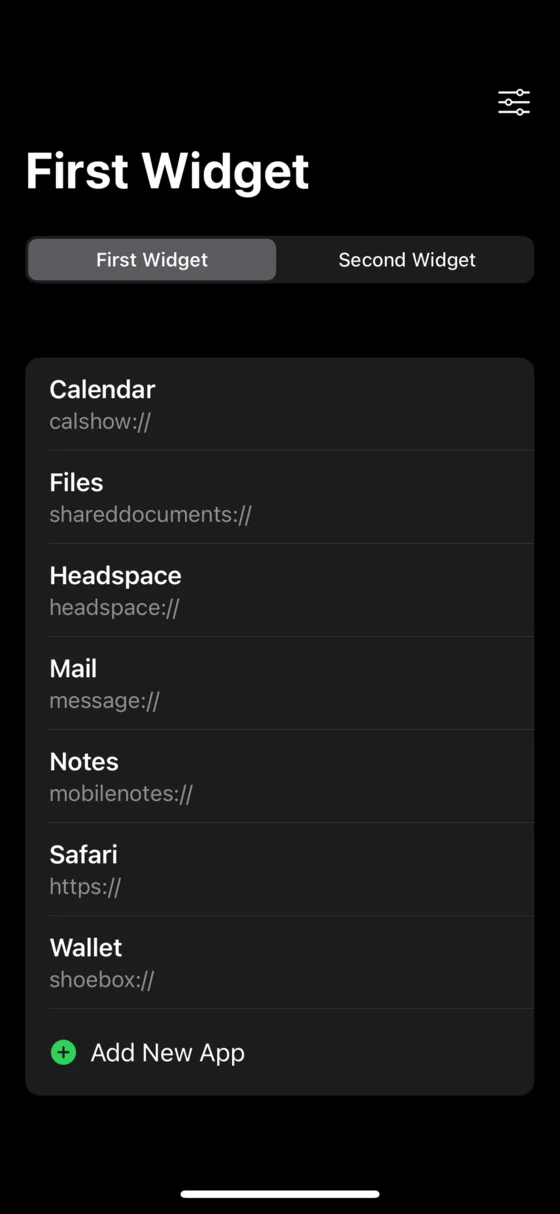
Smile replaces the icon grid with a widget that holds only the apps you actually meant to open. No icons, no badges, no red numbers. You type the names yourself, so the list is exactly as long as you decide.
People call this turning your iPhone into a dumb phone. It is not a different phone and it is not a lock. It is a text widget and a few speed bumps.
It is free, it works offline, and it never asks for an account. Everything you set up stays on your phone.
- Platform
- iPhone and iPad
- Requires
- iOS 16.1 or later
- Price
- Free, premium optional
- Widgets
- 10, all free
- Languages
- 47
- Account
- None. Nothing leaves your phone.
Ten widgets, laid out however you like
Add up to ten Smile widgets, each with its own list and its own look. Small, medium, large, or extra large. Drag apps between widgets, or give one widget a single app and let the rest of the screen stay empty.
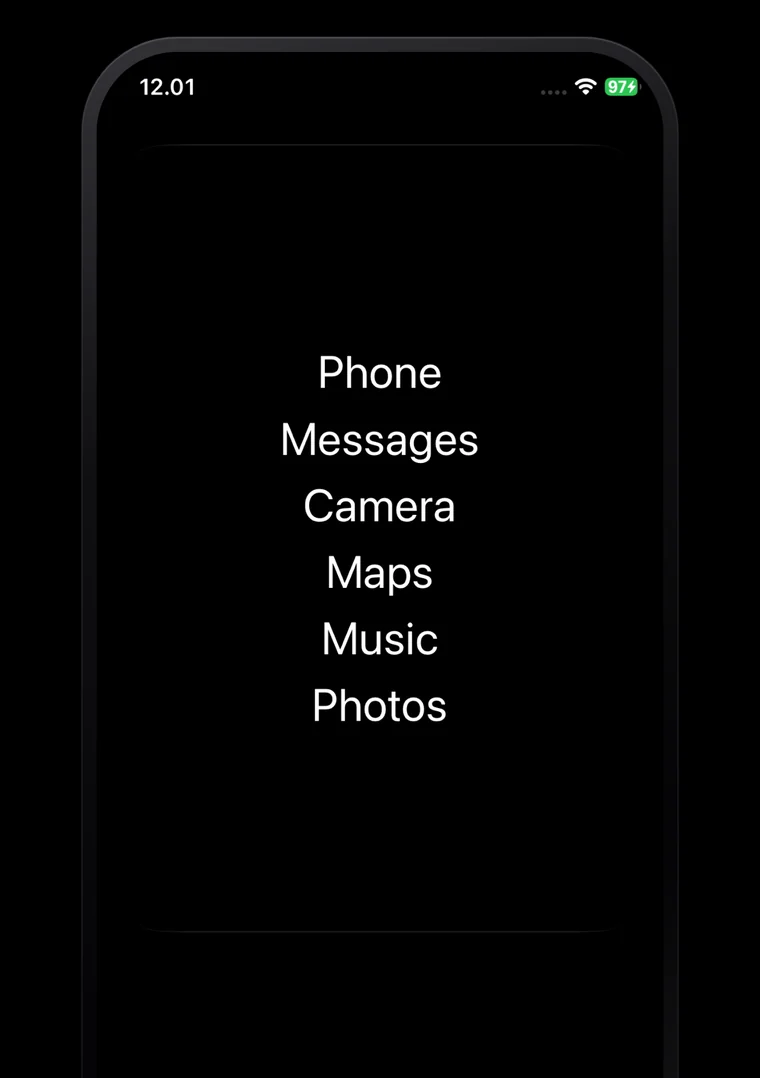
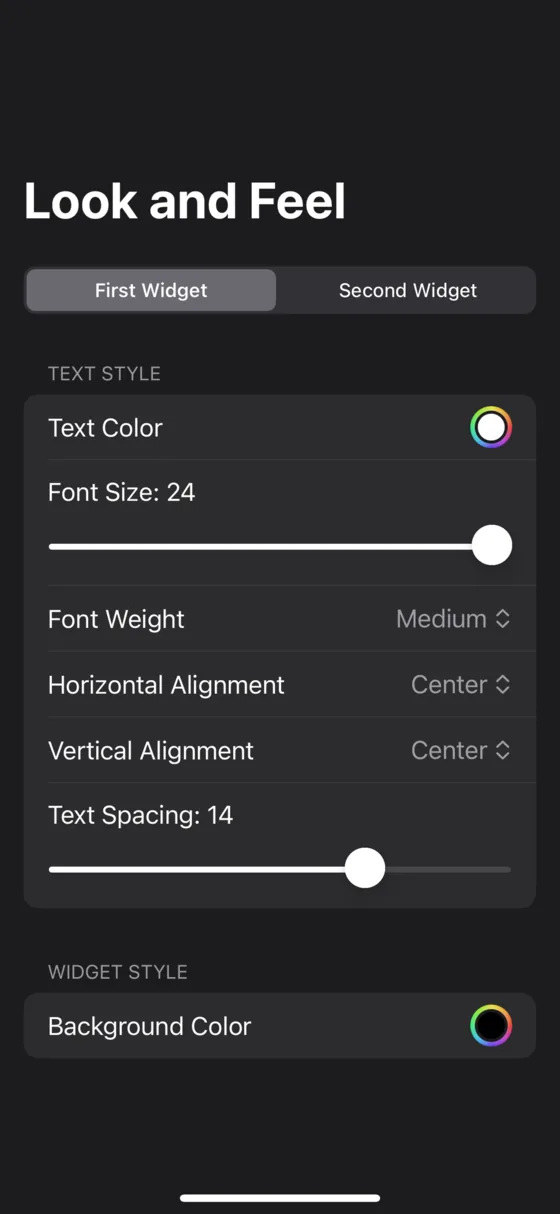
Set your own font, size, weight and colour
Nineteen system typefaces plus any font you have installed. Size from 5 to 100. Nine weights. Any colour you like for text and background, separately for light and dark mode if you want it to follow the system. Align the list to any of nine positions and set the spacing between rows.
Make your phone push back
Give an app a daily reminder after a number of opens, or a hard limit that hides it from the widget until tomorrow. Add a breather that sits you on a black screen for a few seconds, or walks you through 4-7-8 breathing, before the app is allowed to open.
None of this is a lock. You installed it, so you can turn it off. It is a speed bump, and a speed bump is usually enough.
Setting it up takes a few minutes, and we wrote it all down
Some of this is fiddly, because Apple does not let an app open another app without help. The guides walk through every step with the real screenshots.

Free, and it stays that way
The launcher, the clock, all ten widgets, every customisation option, the limits and the breather are free forever. There is an optional Premium subscription that adds live widgets like weather and calendar, and hides the occasional recommendation card. You never need it to use Smile as a launcher.